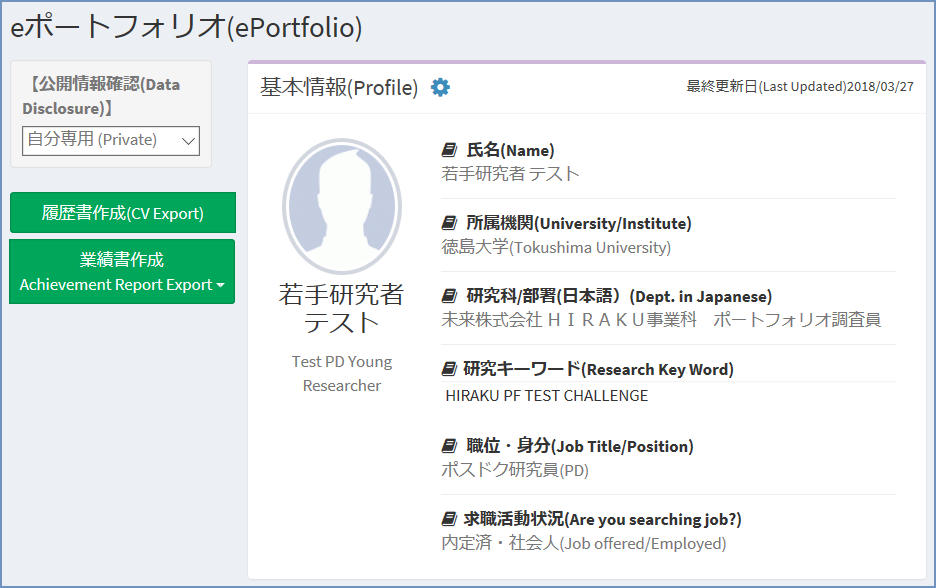
eポートフォリオ機能は、HIRAKU-PFの根幹をなす機能の一つです。
若手研究者だけでなく連携企業等全ユーザが利用でき、自己PR・企業PR等に活用できます。
The e-portoflio is one of the core functions within HIRAKU-PF. Not only the young researcher users but the HIRAKU Member Organization users can utilize the function to promote their organizations.
eポートフォリオは『ポートフォリオ公開先』設定を変更することで、単に業績管理にも、積極的な自己PRにもお使いいただけます。
By adjusting "Privacy Setting", you can use your e-portfolio for anything from simple record-keeping of your achievements to proactive self-promotion.
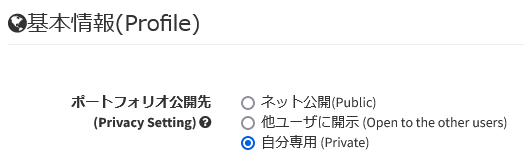
ポートフォリオ全体の公開設定は 『ポートフォリオ編集』>『基本情報』内の『ポートフォリオ公開先』設定で行えますが、研究業績・動画・添付ファイルは項目毎に公開設定を設定可能です。『ポートフォリオ公開先』設定は、以下の3段階に設定できます。
While you can manage the visibility settings for your entire portfolio under "Privacy Setting" within "ePortfolio" > "Edit" > "Profile," you can also configure visibility settings individually for research achievements, videos, and attached files. The "Privacy Setting" setting can be configured in the following three levels.
|
『ポートフォリオ公開先』設定 / "Privacy Setting" Levels
|
|
ネット公開
(Public)
|
HIRAKU-PFにログインしたユーザに公開され、さらにネット公開用ウェブページが生成されます (https://www.hirakupf.hiroshima-u.ac.jp/researcherlist/ にて誰でも検索・閲覧可能)
Your portfolio is made visible to users logged into HIRAKU-PF, and your webpage for public access is generated. (Anyone can search and view the list at "https://www.hirakupf.hiroshima-u.ac.jp/researcherlist/.")
|
|
他ユーザに開示
(Open to the other users)
|
HIRAKU-PFにログインしたユーザのみに公開されます
Your portfolio is made visible only to users logged into HIRAKU-PF.
|
|
自分専用
(Private)
|
自分しか閲覧できません
Only you can view your portfolio.
|
『ネット公開』や『他ユーザに開示』設定にした場合でも、『基本情報』内の個人情報に関する諸項目は公開されません。ただし『自分専用』に設定した場合でも、氏名・所属機関の2項目は他ユーザに公開されます。
Even if you select settings to "Public" or "Open to the other users," the specific items containing personal information within the "Profile" section will not be disclosed. However, even if the setting is configured as "Private," the two items—"Name" and "University/Institute"—will be visible to other users.
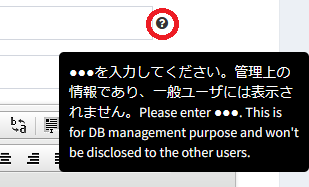
eポートフォリオ編集画面に設置された『?マーク』からは入力すべき内容をご確認いただけますが、個人情報として取り扱われる諸項目には他者には公開されない旨も記載しております。
You can view the required input details by clicking the "?" icons located on the "Edit" page; these notes also indicate that items classified as personal information will not be disclosed to others.
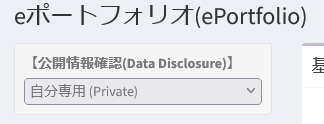
また、eポートフォリオ閲覧画面左上の「公開情報確認」を変更することで、他ユーザからどのように見えるのかの確認が可能です。
Additionally, by changing the "Data Disclosure" value at the top left of the "View" page, you can see how your portfolio appears to other users.
『PR動画』セクションにはYouTube動画を埋め込むことができますが、設定を誤るとうまく表示されません。
You can embed YouTube videos in the "PR Video" section, but if the settings are incorrect, they will not display properly.
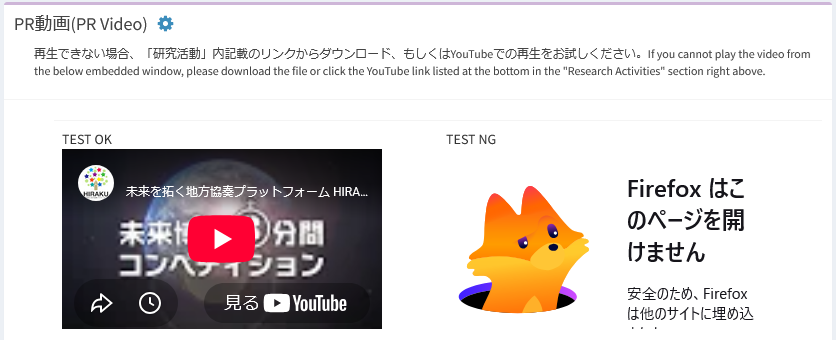
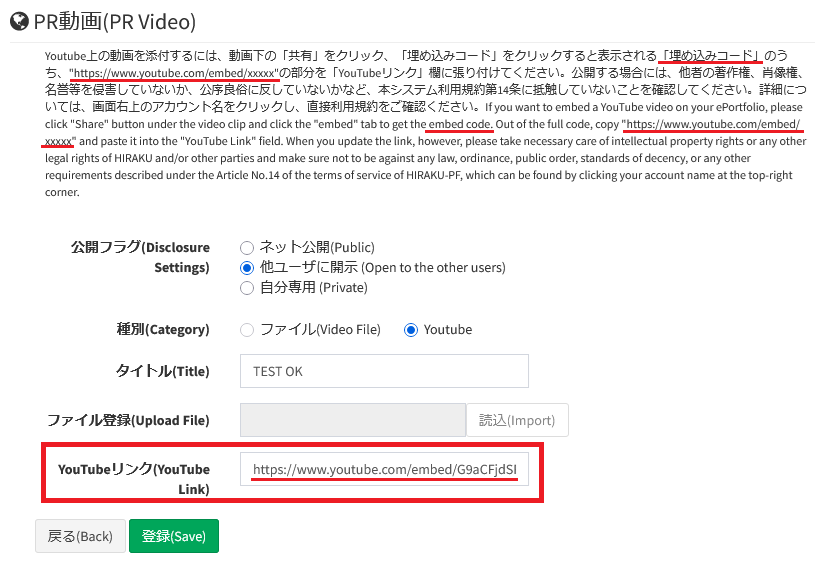
『PR動画』設定画面に記載されております通り、『YouTubeリンク』に記載すべきURLはYouTubeの通常のURLではなく、『共有』>『埋め込み』で取得できる埋め込みコード内のURLとなりますのでご注意ください。(参考:動画やチャンネルを共有する - YouTubeヘルプ)
Please note that, as indicated on the "PR Video" settings page, the URL to be entered in the "YouTube Link" field should not be the standard YouTube URL; instead, it must be the URL found within the embed code obtained via the "Share" > "Embed" option. (Reference: Share videos and channels - YouTube Help)
X(twitter)連動機能において、設定を行っても閲覧画面にてタイムラインが表示されないことがあります。
Here is a problem with the X (Twitter) integration function, and your timeline is not displayed on your view screen.
2025-06-18まで『eポートフォリオ』機能の公開設定にバグがあり、一度『ウェブ公開』に設定した後『他ユーザに開示』『自分専用』に変更してもウェブ公開用ページが閲覧できてしまう状態でした。
Until 2025-06-18, there was a bug in the "Disclosure Settings" for the "e-portfolio" function; if the setting was changed from "Public" to "Open to other users" or "Private," the public web page remained accessible.
2023-03-30まで『データ出力』機能の『業績書作成』機能にバグがあり、一部項目(『英』項目)が出力されませんでした。
Until 2023-03-30, there was a bug in the “Achievement Report Export” function of “Data Export” function, and some items (“En” items) are not output to the excel file.

 Home
Home