
管理・設定機能 / Settings

機能紹介 / Functions

  • 自動転送通知設定 / Auto-Notice Settings
    ​自動転送通知のON/OFFを、機能ごとに切り替えることができます。​
    / You can choose the items for which you would like to receive auto-notification.​
  • パスワード変更 / Change Password​
    ログインパスワードを変更することができます。​
    / You can change your log-in password.​
  • 自動転送通知先変更 / Change Address
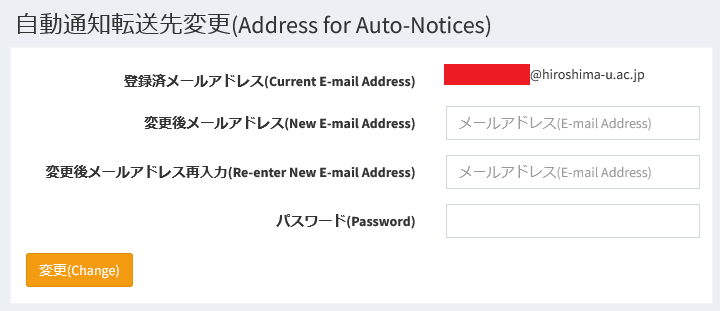
    自動転送通知を受信するメールアドレスを変更することができます。​
    / You can add your personal e-mail address to receive auto-notification.​
  • ログインID変更 / Change​ ID
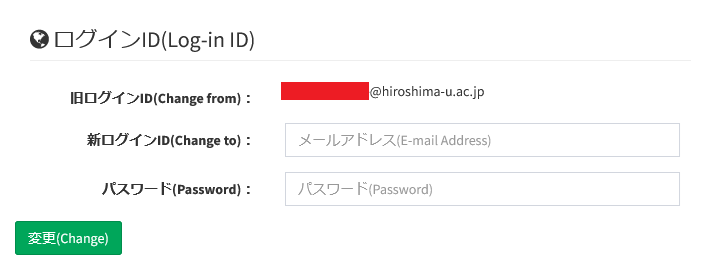
    HIRAKU連携機関のドメインを保有するメールアドレスであれば、ログインIDとして変更可能です。​
    / You can change your log-in ID on conditions that the new e-mail address contains the domain of the HIRAKU Member Organization or you are affiliated with.​

チュートリアル動画 / Tutorial Video

機能説明 / Descriptions

自動転送通知設定 / Auto-Notice Settings


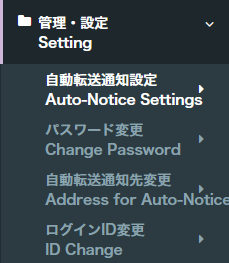
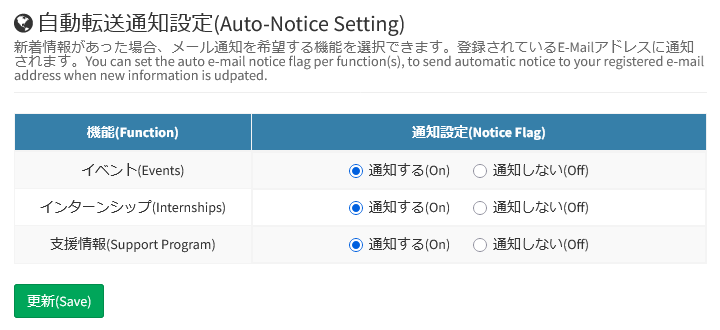
メニュー下部の『管理・設定』より『自動転送通知設定』をクリックしてください。『イベント』『インターンシップ』『支援情報』の3項目についてメール通知のOn/Offを設定できます。Offにした項目もPF上で確認することができます。

Please click "Auto-Notice Settings" under "Setting" at the bottom of the menu. You can also change your password within HIRAKU-PF. You can toggle email notifications "On" or "Off" for three categories: "Events," "Internships," and "Support Program." Even if notifications are turned "Off", you can still view these information on HIRAKU-PF.

パスワード変更 / Change Password​


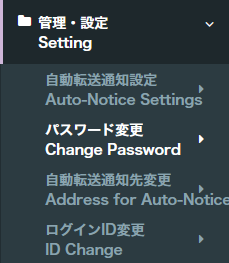
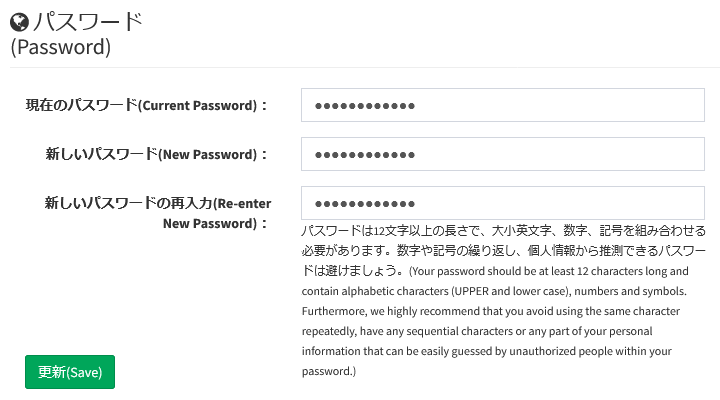
HIRAKU-PF内でもパスワードの変更が行えます。メニュー下部の『管理・設定』より『パスワード変更』をクリックしてください。『パスワード変更』についての詳細は下記リンク先をご確認ください。

You can also change your password within HIRAKU-PF. Please click "Change Password" under "Setting" at the bottom of the menu. Please check the link below for details on "Change Password."

自動転送通知先変更 / Change Address


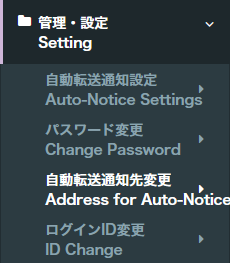
メニュー下部の『管理・設定』より『自動転送通知先変更』をクリックしてください。HIRAKU-PFより配信されるメールの送付先をログインIDとは別のものに設定可能で、フリーメール等であってもシステム上制限はありません。(HIRAKU-PFから全てのメールサービスへのメール送付を保証するものではありません。)

Please click "Address for Auto-notices" under "Setting" at the bottom of the menu. You can set your email address for receiving messages from HIRAKU-PF to something other than your login ID; our system imposes no restrictions on the type of email address used, including free email services. (Please note that email delivery from HIRAKU-PF to all email services is not guaranteed.)

ログインID変更 / Change​ ID


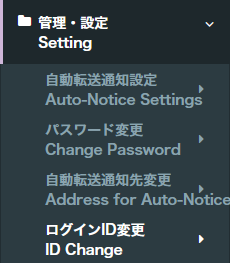
ログインIDであるメールアドレスの変更が行えます。(ただし、新IDも所属先ドメインが含まれたメールアドレスである必要があります。)メニュー下部の『管理・設定』より『ログインID変更』をクリックしてください。

You can change the email address used as your login ID. (Of course, the address for your new ID must also belong to the organization's domain.) Please click "ID Change" under "Setting" at the bottom of the menu.

FAQ

本機能に関する特記事項はございません。

There are no special remarks for this function.

既知の問題 / Known issues

本機能に関する特記事項はございません。HIRAKU-PF全般に関する情報は以下からご確認ください。

There are no special remarks for this function. Please check the link below for system status regarding HIRAKU-PF.

お問い合わせ / Contact

HIRAKU-PF システム管理 / HIRAKU-PF System Support
E-mail: info(AT)hirakupf.hiroshima-u.ac.jp
*(AT)は半角の@に変換してください / Please replace (AT) with @.

広島大学グローバルキャリアデザインセンター / Global Career Design Center, HU
電話番号 / TEL: 082-424-4564
E-mail: wakateyousei(AT)office.hiroshima-u.ac.jp 
*(AT)は半角の@に変換してください / Please replace (AT) with @.


up