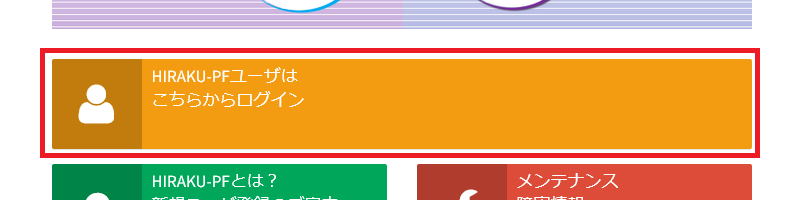
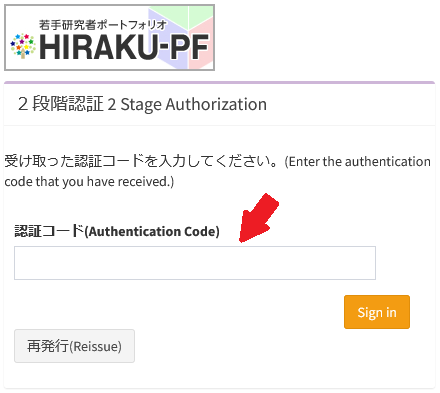
Starting from August 2022, Multi-Factor Authentication (MFA) has been introduced to the HIRAKU-PF system to add a layer of protection to the sign-in process. HIRAKU-PF only supports authentication code method via email. Please find below the overview of how to log-in to the system whilst utilizing MFA.
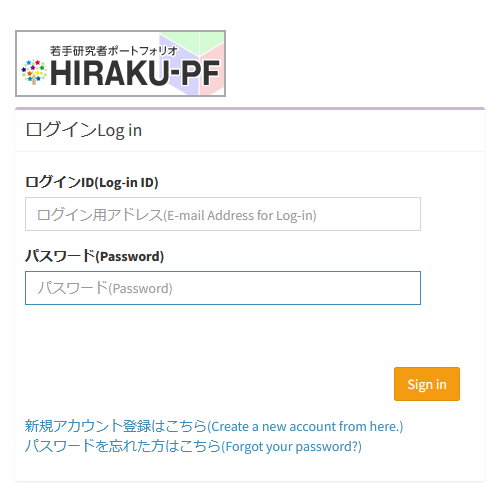
Please enter your Log-in ID and Password. If you cannot recall your password, please click the “Forgot your password?” link at the bottom of the log-in page. This ID & password is unique to HIRAKU-PF. It is not linked to GakuNin or each university’s IT system.
Doctoral students at Hiroshima University are all registered by HIRAKU Council Office. Please click the “Forgot your password?” link and set your password yourself before your first log-in.
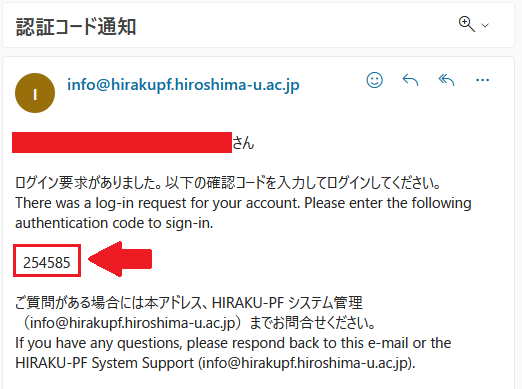
Please enter the one-time passcode into the above Authentication Code section to complete your log-in. If you did not receive a one-time passcode, click the “Resend” button at the bottom of the log-in page.
FAQ
Q1. 再発行を行っても認証コードが届かない / I do not receive a one-time passcode even if I click the “Resend” button.
Please check your Junk mailbox. If you find the passcode notification e-mail there, please add info■hirakupf.hiroshima-u.ac.jp (*Please type @ instead of ■.) into your whitelist.
If you have changed your e-mail address without changing the forwarding e-mail address in the HIRAKU-PF settings, you will not receive the one-time passcode, so please contact HIRAKU-PF support. (Contact information is listed below.)
Q2. 認証コードを入力するとエラー画面が表示される / An error screen appears when entering the authentication code.
Did you copy and paste the one-time passcode? If you copy and paste spaces or line breaks (codes) before and after the authentication code, this error will occur. This will not occur if you enter it manually. Please also note that the one-time passcode has a validity period.
お問い合わせ / Contact
HIRAKU-PF システム管理 / HIRAKU-PF System Support E-mail: info■hirakupf.hiroshima-u.ac.jp *■は半角の@に変換してください / Please replace ■ with @.
広島大学グローバルキャリアデザインセンター / Global Career Design Center, HU 電話番号 / TEL: 082-424-4564 E-mail: wakateyousei■office.hiroshima-u.ac.jp *■は半角の@に変換してください / Please replace ■ with @.

 Home
Home