HIRAKU-PF — メッセージ機能 / Message

概要 / Overview 

メッセージ機能を利用すると、メールアドレスを知らなくともHIRAKU-PF内の他ユーザへ連絡をとることができます。

This "Message" function allows you to contact other users within HIRAKU-PF without knowing their email addresses.

メッセージ送信 / Sending Messages

HIRAKU-PF内でメッセージを送信する場合、まずは送信先ユーザのeポートフォリオへアクセスします。

To send a message within HIRAKU-PF, please access the recipient's e-portfolio first.


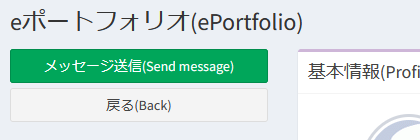
eポートフォリオ画面の上部の「メッセージ送信」ボタンをクリックしましょう。

Please click the "Send message" button at the top of the e-portfolio screen.


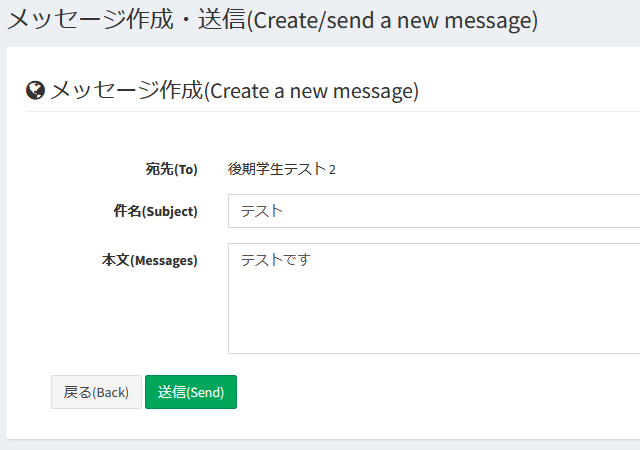
"メッセージ作成・送信" 画面に遷移しますので、こちらでメッセージを入力して送信します。
メッセージへのファイル添付はできません。ファイルのやり取りには外部クラウドサービスをご利用ください。

You will be directed to the "Create/send a new message" screen; please enter your message there and send it.
It is not possible to attach files to messages via "Message" function. Please use external cloud services for exchanging files.


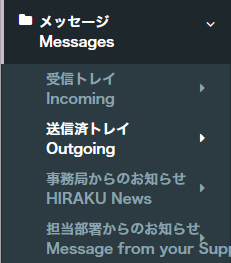
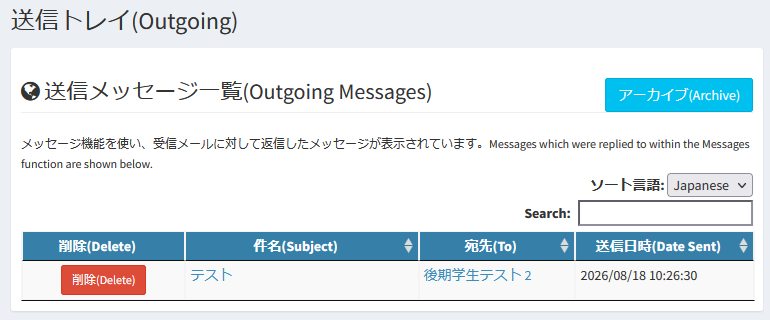
送信済メッセージを確認したい場合、『メッセージ』内『送信済トレイ』にアクセスしましょう。
送信済メッセージ一覧を確認できます。

If you want to check sent messages, please look in the "Outgoing" menu within "Messages."
You can view the list of "Outgoing Messages."


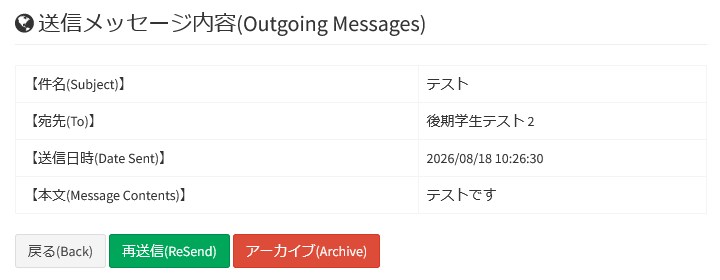
『件名』のリンクをクリックすることでメッセージ詳細に移動し、内容の確認とアーカイブへの移動を行うことができます。

By clicking the link in the "Subject" field, you can navigate to the message details to review the message and move it to the "Archive" list.

メッセージ受信・返信 / Receiving and Replying Messages


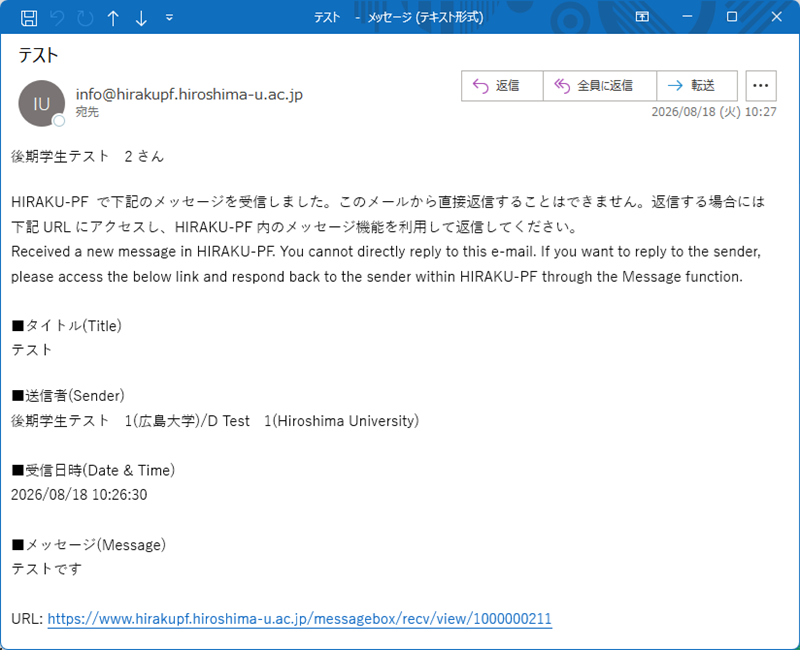
メッセージ機能から送信されたメッセージは、受信者に電子メールとして届きます。
返信したい場合は、メール内のリンクからHIRAKU-PFにアクセスしてください。

Messages sent via the "Message" function are delivered to the recipient as emails.
To reply, please access HIRAKU-PF using the link provided in the email.


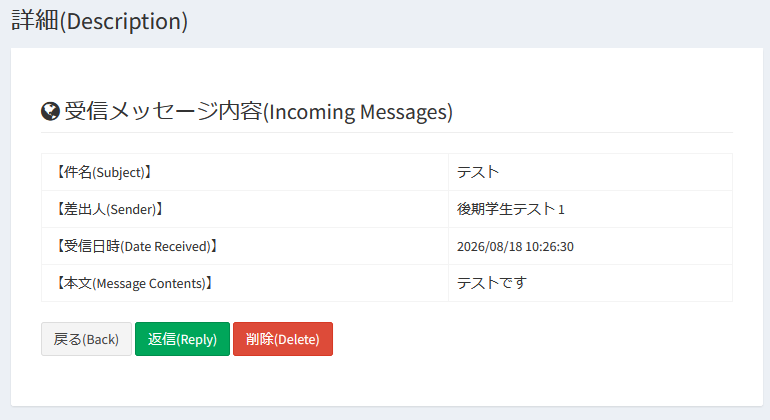
こちらがHIRAKU-PF内のメッセージ詳細画面となります。『返信』をクリックすると返信メッセージ送信画面に移行します。

This is the message details page for HIRAKU-PF. You can access the reply composition page by clicking the "Reply" button.


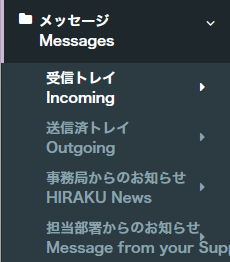
これまでに受信したメッセージを確認したい場合、『メッセージ』内『受信トレイ』にアクセスしましょう。
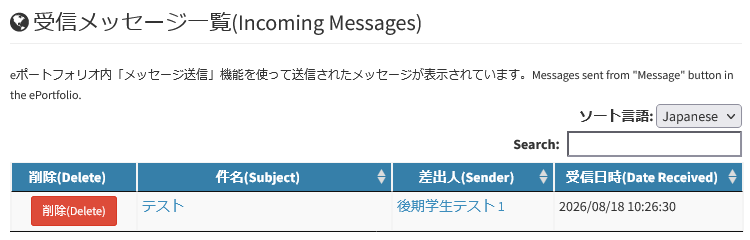
受信メッセージ一覧画面にアクセスできます。

If you want to check incoming messages, please look in the "Incoming" menu within "Messages."
You can access the list of "Incoming Messages."


『件名』のリンクをクリックすることでメッセージ詳細に移動し、内容の確認と返信を行うことができます。

By clicking the link in the "Subject" field, you can navigate to the message details to review the message and reply.

FAQ

本機能に関する特記事項はございません。

There are no special remarks for this function.

既知の問題 / Known issues

本機能に関する特記事項はございません。HIRAKU-PF全般に関する情報は以下からご確認ください。

There are no special remarks for this function. Please check the link below for system status regarding HIRAKU-PF.

お問い合わせ / Contact

※HIRAKU-PF ご利用の皆様へ / For all HIRAKU-PF Users
 "メッセージ" 機能からの問い合わせへの対応は行いません。上記窓口へご連絡ください。
サポートを受けたい場合、本人確認のため HIRAKU-PFに登録されているメールアドレス(ID or 転送先アドレス)から連絡してください。
Please note that we do not respond to inquiries made via "Message" function. Please contact us using the methods listed above.If you wish to receive support, please contact us using the email address registered with HIRAKU-PF (ID or forwarding address) so that we can verify your identity.

HIRAKU-PF システム管理 / HIRAKU-PF System Support
E-mail: info■hirakupf.hiroshima-u.ac.jp
*■は半角の@に変換してください / Please replace ■ with @.

広島大学グローバルキャリアデザインセンター / Global Career Design Center, HU
電話番号 / TEL: 082-424-2058
E-mail: wakateyousei■office.hiroshima-u.ac.jp 
*■は半角の@に変換してください / Please replace ■ with @.


up